


Steam has been the default place to buy PC games for so long that it’s easy to forget you don’t actually have to buy everything there. There are plenty of other PC storefronts around, but GOG is one of the few that does things differently enough to make choosing between the two a little more interesting.
So, how does GOG actually compare to Steam, and is there any reason to start buying your games there instead? We’ve taken a closer look at the two stores, what each one offers, and the differences that actually matter when you’re deciding where to buy your next game.
What Is GOG?

GOG has been around since 2008, although back then the name stood for Good Old Games and gave you a fairly good idea of what you were going to find there. The store originally concentrated on bringing older PC games back and making them work properly on modern computers.
Things have changed considerably since then. The platform now sells everything from decades-old PC games to brand-new indie and AAA releases, although classic games remain a particularly important part of the store. It also has its own desktop client, GOG Galaxy, achievements, cloud saves, multiplayer features, forums, and plenty of the other things you’d expect from a modern PC storefront.
There is one particularly important difference, though. Every game sold on GOG is DRM-free.
What Does DRM Free Mean?
As we just mentioned, every game sold through GOG is DRM-free. This means once you’ve bought a game, you can download its offline installer, keep a backup wherever you want, and install it without needing GOG Galaxy running in the background. You don’t have to connect to GOG every time you want to prove that you’re allowed to play something you already paid for.
Steam works differently. Valve provides its own Steam DRM system, and games can also use other DRM or account requirements depending on what the developer or publisher chooses. Steam’s DRM isn’t compulsory for every game sold on the store, so there are DRM-free Steam games, but you can’t assume that simply because you bought something there.
If avoiding DRM is one of your main concerns when buying PC games, GOG wins this comparison hands down.
Steam Has a Much Bigger Library
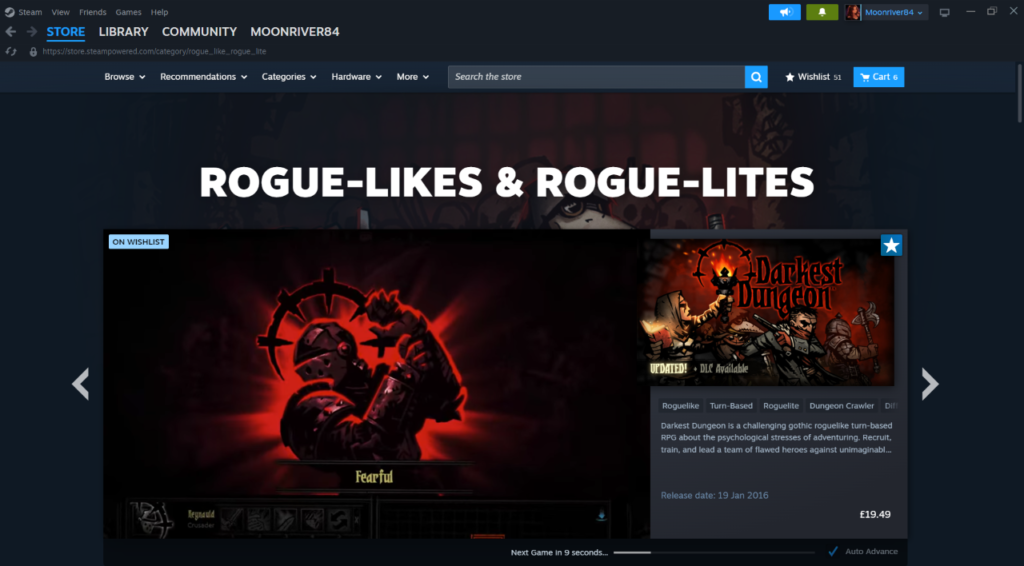
Steam has become enormous. More than 100,000 games have been released on the platform over its lifetime, with tens of thousands more arriving every year. That includes everything from enormous AAA releases to Early Access games made by one person in their bedroom.
GOG takes a much more selective approach. Its catalog contains thousands rather than Steam’s enormous six-figure total, and games have to be accepted onto the store rather than developers simply paying a submission fee and releasing them.
The result is that plenty of games you find on Steam simply aren’t available on GOG. If you only used GOG, particularly if you play a lot of small indie games, you’d miss a significant number of releases.
GOG Is Much More Selective About What It Sells
Having fewer games isn’t entirely a disadvantage. GOG describes its library as curated, and developers can have their games rejected from the store. That inevitably means fewer releases, but it also means you don’t have to dig through quite the same enormous pile of games you’ll find on Steam.
Steam is much more open by comparison. That has been fantastic for small developers because an incredibly niche game can still find an audience without convincing a storefront that it deserves a place first. The downside is that an enormous amount of questionable stuff gets through alongside it.
For rogue fans, that openness is actually quite important. Some of the smallest roguelikes we cover on AllRogues would have considerably less chance of appearing on GOG, while Steam gives developers a relatively straightforward route onto the largest PC storefront around.
What About New Releases?
The Good Old Games name disappeared a long time ago, and GOG certainly isn’t limited to games released when monitors were enormous and saving your progress was considered a luxury.
New games arrive regularly, including major releases and plenty of indies. The problem is that availability is nowhere near as predictable as it is on Steam. A game may release on both stores simultaneously, but arrive on GOG months or years later, or never appear there at all.
Steam is therefore the safer choice if you primarily buy new releases. There’s a very good chance the PC game you’re waiting for will appear there, whereas checking GOG can still end with an empty search result.
GOG Is Particularly Good for Older Games

Selling old PC games has been part of the store since the beginning, but GOG now goes further through its Preservation Program. Games added to the program are tested and maintained by GOG to keep them working on modern hardware, even when the original developer has stopped supporting them.
The program currently contains more than 300 games, with GOG making compatibility fixes and other improvements itself where necessary. Offline installers, manuals, bonus materials, and other original content can also be included.
Steam has an enormous collection of older games too, but their condition varies. Sometimes you can buy a 20-year-old game, install it, and everything works perfectly. Sometimes you spend the next hour searching forums for a fan patch because Windows has absolutely no interest in cooperating.
If the same classic PC game is available on both stores, it’s worth checking whether the GOG version is part of its Preservation Program before deciding where to buy it.
What About Roguelikes and Roguelites?
For rogue games specifically, Steam has the obvious advantage of numbers.
Steam has become one of the main places small indie developers release games, which means its roguelike and roguelite selection is enormous. New deckbuilders, traditional roguelikes, survivors-likes, action roguelites, and games that combine three of those things appear constantly.
GOG still has plenty worth playing, but you won’t find anything close to the same selection. Smaller games are particularly likely to be Steam-only, at least when they first release.
Are Games Cheaper on GOG or Steam?
There isn’t a simple winner here. Publishers generally set their own prices, so a game available on both stores will often have the same standard price. Both GOG and Steam also run large seasonal sales alongside smaller promotions throughout the year, and discounts can differ depending on when you look.
That means the cheapest store can change from one game to another. Steam may have something at 75% off while GOG is still charging full price, only for the situation to reverse during another sale.
If price is your main concern and a game is available on both, checking both stores before buying it takes about 30 seconds.
Do You Actually Own Your Games on GOG?
The answer to this is slightly more complicated than GOG’s marketing might suggest.
GOG frequently talks about game ownership, and DRM-free offline installers give you considerably more practical control over your purchases. You can download those installers, back them up to another drive, and continue installing the games without needing GOG Galaxy.
Legally, however, buying a game from GOG generally still gives you a license to use the content rather than transferring the copyright or intellectual property to you. GOG’s own User Agreement describes access to its content as a personal license.
So no, buying Baldur’s Gate from GOG doesn’t mean you now own part of Baldur’s Gate. What you do get is considerably more independence from the storefront after buying it, and that’s the distinction people are usually talking about when they describe GOG games as something you “own.”
Do You Need GOG Galaxy?
No, and this is another major difference between the two stores. GOG Galaxy is completely optional. You can log into GOG through your browser, download an offline installer, install the game, and play it without ever installing Galaxy.
However, using Galaxy makes things considerably more convenient. It can automatically install and update your games, synchronize supported saves through the cloud, track achievements, provide multiplayer features, and roll games back to earlier versions.
You’re essentially choosing between convenience and independence rather than being forced into one or the other.
How Does GOG Galaxy Compare to Steam?

GOG Galaxy does a perfectly good job of handling a game library, but Steam is a much larger platform built around considerably more than launching games.
Galaxy covers most of the basics you’re likely to want. There are automatic updates, cloud saves for supported games, achievements, an in-game overlay, friends, multiplayer, screenshots, playtime tracking, and the particularly useful ability to roll supported games back after an update.
It can also integrate games from other platforms into one library, although how well individual integrations work can vary.
Steam goes considerably further with its community hubs, Workshop, Steam Families, Remote Play, broadcasting, guides, reviews, trading cards, marketplace, extensive controller features, and the wider Steam ecosystem.
If all you want is somewhere to organize and launch games, Galaxy does the job. If you actually use all the additional stuff surrounding your library, Steam has a lot more going on.
Achievements and Cloud Saves
You don’t necessarily lose achievements and cloud saves just because you buy the GOG version.
GOG Galaxy supports both, along with statistics and leaderboards where developers have implemented them. Cloud saves can automatically synchronize supported games between computers, while achievements can even unlock offline and synchronize once you reconnect.
The important word there is supported.
These features can vary between individual games and storefront versions, so it’s worth checking the GOG page before buying if achievements or cloud saves are important to you. The same game can occasionally have slightly different platform features depending on where you buy it.
Steam has the advantage here simply because its enormous audience means Steamworks integration tends to be a priority for PC developers.
Steam Is Better for Mods
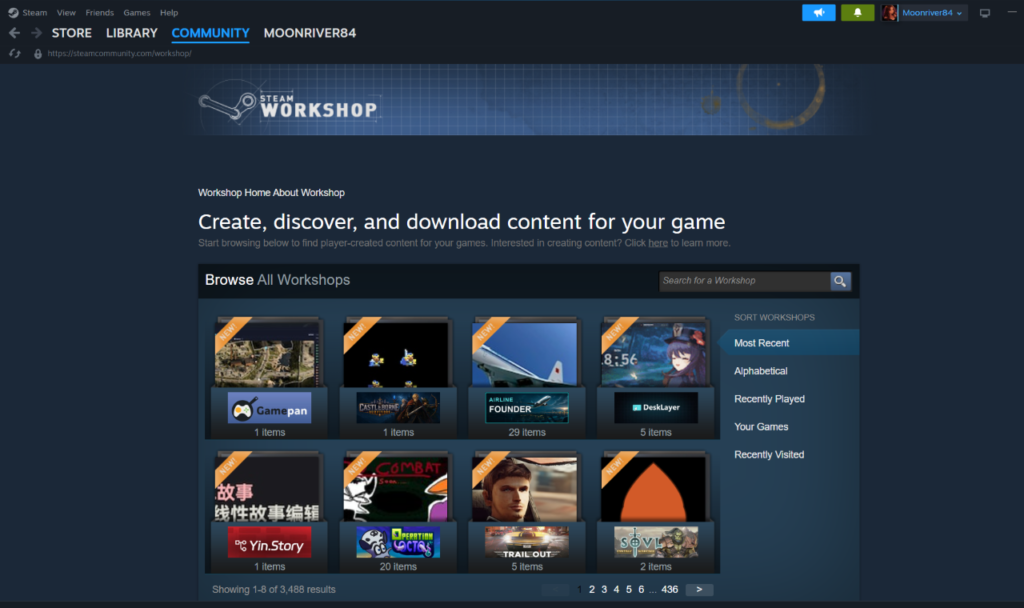
You can mod GOG games perfectly well. In fact, having direct access to DRM-free installations can occasionally make tinkering with them really straightforward. What it doesn’t have however, is anything comparable to the Steam Workshop.
For games that support it, Workshop lets you find a mod, press Subscribe and have Steam handle downloading and updating it. More than 3,000 games currently support Steam Workshop, with tens of millions of pieces of user-created content uploaded across them.
Buying the GOG version doesn’t necessarily stop you from using the same mods, but you may have to download and install them manually from somewhere like Nexus Mods or the developer’s own community.
For something with a particularly active Steam Workshop, that convenience can be enough to make the Steam version the better purchase.
Steam Has a Much Bigger Community
Steam reviews are probably the most obvious example of this. As the platform has so many users, popular games can accumulate tens or even hundreds of thousands of reviews. Smaller games often have active discussion boards too, while Community Hubs bring together screenshots, guides, Workshop content, news, discussions, and other player-created material.
GOG has user reviews and forums of its own, but the smaller audience inevitably means there’s less activity around many games.
That doesn’t necessarily make Steam reviews better, of course. It just means there are considerably more of them to dig through when you’re trying to work out why everybody suddenly hates an update released three hours ago.
Which Is Better for Offline Gaming?
GOG has the clearer advantage here. Download the offline installer for a single-player GOG game and you can keep it somewhere safe, install it without Galaxy, and play without needing the storefront involved.
Steam also has an Offline Mode, and many games work perfectly well without an active internet connection once everything has been set up correctly. The difference is that Steam itself remains part of the process for games that require it, while a DRM-free GOG installation can operate independently.
Individual games can still complicate things. A game might require its own account, servers, or internet connection for certain features regardless of where you bought it, so DRM-free doesn’t magically turn an online multiplayer game into something you can play in a cabin with no Wi-Fi.
For offline single-player games, though, GOG is difficult to argue against.
GOG Has a More Generous Refund Window
Steam’s refund policy is straightforward. For games, you can generally request a refund within 14 days of purchase as long as you’ve played for less than two hours. Valve can still consider requests outside those limits, but they aren’t covered by the standard guarantee.
GOG gives you considerably longer. Its current policy allows you to request a refund within 30 days of purchasing a game, even if you’ve downloaded, launched, and played it.
There are still rules around abusing the system, and neither store intends its refund policy to become a way of repeatedly finishing games for free. For ordinary purchases that don’t work out, though, GOG gives you a much larger window.
What About Steam Deck and Linux?
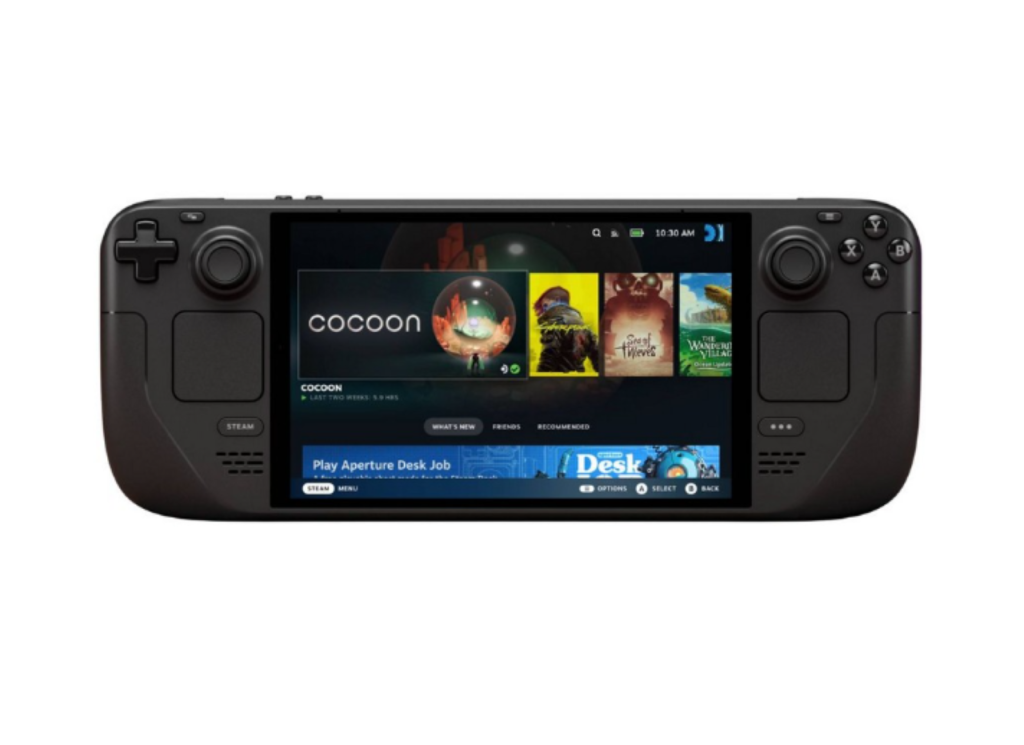
If you own a Steam Deck, buying games on Steam is considerably easier. The entire handheld is built around your Steam library. Valve tests games for Deck compatibility and labels them Verified, Playable, Unsupported, or Unknown, while Proton allows a huge number of Windows games to run through the Deck’s Linux-based SteamOS.
You can install games from GOG on a Steam Deck, but it requires extra steps and third-party solutions rather than simply opening your Steam library and pressing Install.
Linux users face a similar consideration. GOG sells Linux versions of supported games, but GOG Galaxy itself still doesn’t provide the same native Linux experience that Steam does.
GOG games can absolutely be played on Linux and Steam Deck, but Steam is the much more convenient choice if either is your main gaming platform.
Can You Transfer Steam Games to GOG?
Generally, no. Buying a game on Steam gives you the Steam version, while buying it on GOG gives you the GOG version. Owning one doesn’t normally entitle you to a free copy from the other store.
GOG previously ran GOG Connect, which allowed players to import certain eligible Steam purchases into their GOG libraries when publishers participated. That program is no longer available.
There are occasionally promotions or developer-specific exceptions, but you shouldn’t buy a Steam game expecting to transfer it to GOG later. The same applies in the other direction. Buying something on GOG doesn’t automatically put it into your Steam library.
Can Steam and GOG Players Play Together?
Sometimes. Whether Steam and GOG players can join the same multiplayer game depends on how that particular game has been built. GOG provides crossplay tools that developers can use to allow Steam and GOG players to share the same multiplayer environment, but developers have to implement that support.
That means you shouldn’t assume two PC versions are automatically compatible simply because they’re running on the same operating system.
If you’re buying something specifically to play with friends who already own it on Steam, check whether the GOG version supports cross play before buying it. Otherwise, you can end up owning exactly the same game while being unable to actually play it together, which isn’t the most useful form of cross-platform compatibility.
So, Should You Buy Games on Steam or GOG?
For most PC players, there’s no particularly good reason to use only one. Steam is the obvious place to start. Its library is enormous, almost every major PC release appears there, and its collection of community features, mods, controller support, multiplayer tools, Steam Deck integration, and other extras is difficult for any competing store to match.
GOG offers a DRM-free copy that you can download and keep independently of the launcher. It also remains one of the best places to buy older PC games, particularly when GOG itself has done the work required to make them behave on a computer that was built decades after they originally released.
For a heavily modded game with Workshop support, something you want to play on Steam Deck, or a multiplayer game all your friends own through Steam, we’d probably stick with Steam. For a single-player game we want to keep, an older PC release, GOG starts looking considerably more tempting.