
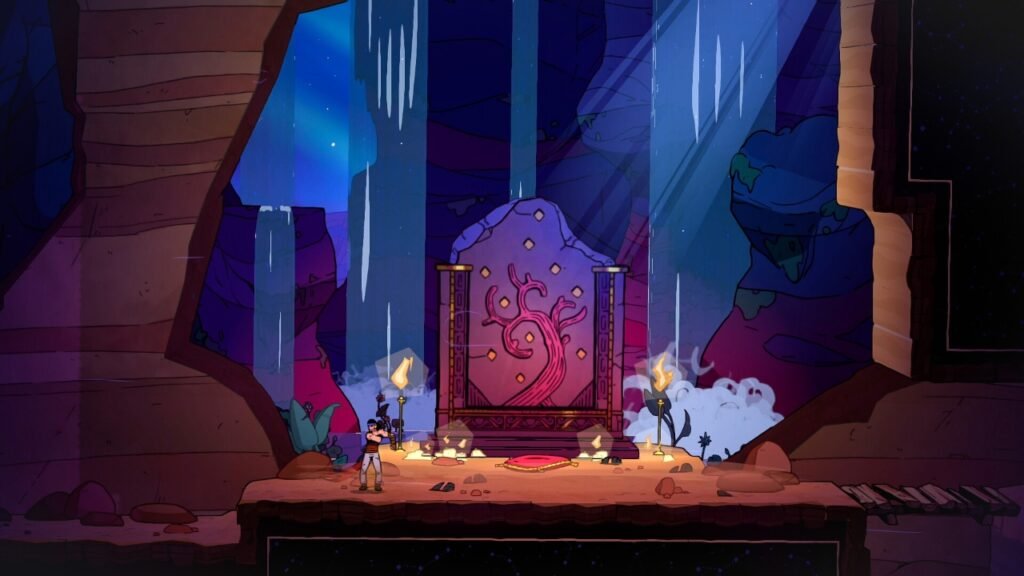
Roguelikes aren’t exactly known for taking it easy on you. Losing a brilliant build to one stupid mistake, watching an hour-long run disappear in seconds, and immediately hitting “try again” despite swearing you were done for the night, are all part of the experience. However, there’s a big difference between a game being difficult because it wants to test you and it being difficult because you can’t see an attack warning, hear an important audio cue, or comfortably use the controls.
Accessibility doesn’t have to make a roguelike easier, it simply gives more people the chance to take on that challenge in the first place. Thankfully, there are plenty of roguelikes and roguelites doing exactly that, with everything from fully remappable controls and aim assistance to adjustable game speeds, visual alternatives to audio cues, and options that reduce some of the physical or cognitive pressure.
We’ve picked out 12 games that we think are doing accessibility particularly well, split across Vision, Hearing, Motor, and Cognitive categories to make finding the right ones a little easier.
Games with Good Vision Accessibility
Games rely on visual information for almost everything. Enemy attacks, hazards, objectives, loot, and even the difference between “that’s probably safe” and “that’s about to kill me” can come down to a color or a tiny detail on screen. For blind and low-vision players, or anyone with color-vision deficiency, those seemingly small design choices can quickly become a much bigger barrier.
Thankfully, good vision accessibility goes much further than simply adding a colorblind filter. Larger text, stronger contrast, customizable visual effects, alternative ways of communicating important information, and plenty of other options can make a huge difference. These three games are some of the roguelikes doing it particularly well.
The Rogue Prince of Persia
The Rogue Prince of Persia already has plenty going for it as a fast-paced roguelite platformer, but Evil Empire has also put a surprising amount of thought into making all that action easier to follow.
Rather than lumping everything under one generic colorblind setting, there are separate filters for deuteranopia, protanopia, and tritanopia. Dialogue and item text can also be increased independently by up to 30%, while screen shake can be adjusted if all that movement makes the action harder to follow.
There’s also a Mind Map that brings story clues together in one place, which is particularly handy if you struggle to keep track of information spread throughout a game. A high-contrast filter inspired by Prince of Persia: The Lost Crown is also in development.
Considering just how frantic The Rogue Prince of Persia can get, having more control over how all of that information is presented can make a big difference.
Monster Train
Monster Train is already a great option if fast reactions aren’t your thing. It’s a turn-based deckbuilder, so you can sit and think about your next move for as long as you need rather than desperately trying to work out what’s happening while enemies are flying toward you.
For players with deuteranopia, there’s a dedicated color mode that remaps colors rather than simply tweaking the contrast. You can also disable screen shake, while static battle backgrounds help stop things from becoming unnecessarily chaotic when you’ve already got cards, enemies, and effects competing for your attention.
That slower pace is just as important. There’s no timer demanding an immediate decision, giving you plenty of time to look over your cards and the battlefield before committing to your next move. If you want plenty of strategy without having to process a screen full of rapidly moving information, Monster Train is an easy one to recommend.
Blue Prince
Blue Prince certainly didn’t get everything right from the beginning. When it launched in 2025, accessibility options were extremely limited, and some of its color-based puzzles created a serious problem for players with color-vision deficiencies.
Thankfully, the developers listened. The April 2026 Accessibility Update introduced pattern overlays and color-name labels, meaning players no longer have to rely purely on being able to distinguish one color from another to solve those puzzles. It also added FOV and sensitivity sliders to help with motion sensitivity, alongside full control remapping.
It would obviously have been better to have those options from day one, but at least the developers listened to player feedback and then actually dis something about it. Blue Prince may have arrived late to the accessibility party, but the important thing is that it got there eventually.
Games with Good Hearing Accessibility
Subtitles are pretty standard in games these days, but adding text to dialogue doesn’t automatically make a game accessible for deaf or hard-of-hearing players. An enemy approaching from off-screen, an alarm warning you something’s about to happen, or a sound telling you when to dodge can all be just as important as what’s being said. If that information only exists as audio, some players are immediately at a disadvantage.
The best games make sure you don’t need to hear something to know it’s happening. Whether that’s through visual alternatives for important sounds, clear indicators, detailed subtitles, or simply designing the game so it can be played without audio at all. These three roguelikes make sure turning down the volume doesn’t mean missing out.
Cult of the Lamb
Cult of the Lamb is part roguelite dungeon crawler, part cult management sim, and thankfully neither half expects you to rely on your hearing to enjoy it.
Its subtitles go beyond simply putting dialogue on screen, identifying who’s speaking and even conveying the emotion behind what’s being said. More importantly, essential gameplay information isn’t hidden behind audio cues, so you’re not going to miss an incoming threat or something important happening back at your cult simply because you didn’t hear it.
Music and sound effects can also be adjusted independently, while options to disable screen shake and flashing lights make Cult of the Lamb a strong choice for several other accessibility needs too. There’s a lot going on in this strange little world, and the game does a good job of making sure sound isn’t the only way you can keep up with it.
Enter the Gungeon
You might not expect a frantic bullet hell where half the screen can seemingly disappear beneath a sea of projectiles to be particularly accessibility friendly. However, Enter the Gungeon has more going on behind the scenes than you might think.
Every audio cue has a visual counterpart, which means you don’t need to hear something coming to know you should probably get out of the way. Its subtitles are also large, clearly readable, and identify who’s speaking, and the entire game can be completed with the sound switched off.
It has some useful motor accessibility options too, including aim assist, gyro aiming, and single-Joy-Con support on Switch. So, while we’re including it here for its hearing accessibility, it’s also a particularly good one to look at if you have more than one accessibility need.
Griftlands
Griftlands takes a slightly different approach because sound was never really essential to following its story in the first place. Klei’s narrative-heavy roguelike deckbuilder uses stylized gibberish in place of traditional spoken dialogue, with the actual conversations presented through text.
That means you’re not missing part of a character’s story because it was buried in an uncaptioned voice line. Everything you need to follow the narrative is already there on screen, while music and sound effects can be adjusted separately if you still want some audio without having everything competing at once.
There’s also a Story Mode that removes failure states, which isn’t specifically a hearing accessibility feature, but does give players another way to experience the game without the usual permadeath pressure.
If you’re looking for a story-heavy roguelike you can comfortably play with the sound completely off, Griftlands is one of the better options out there.
Games with Good Motor Accessibility
Roguelikes love keeping your hands busy. Aiming, attacking, dodging, swapping weapons, and desperately trying to remember which button does what while half the screen is trying to kill you, can be challenging enough already. For players with limited mobility, tremors, reduced stamina, RSI, or anyone who needs to play one-handed, those same controls can turn a difficult run into a physically exhausting one.
That’s where options like fully remappable controls, aim assist, adjustable game speeds, and alternatives to holding down buttons can make a huge difference. These three games approach motor accessibility in different ways, but they all give players more control over how much their hands have to do while everything else is busy trying to kill them.
Hades
Hades is one of the biggest names in roguelikes, and thankfully Supergiant didn’t decide that escaping the Underworld needed to be difficult in every possible way.
Controls can be fully remapped, while stick, mouse, and touch sensitivity can all be adjusted independently, including deadzone settings. Actions also don’t require multiple buttons to be pressed simultaneously, which can make a big difference for players with limited hand mobility or anyone who finds complicated button combinations uncomfortable.
Then there’s God Mode. Turn it on and you’ll initially take 20% less damage, with that resistance increasing by another 2% each time you die until it eventually reaches 80%. It doesn’t suddenly make Zagreus invincible, but it does mean that if precise dodging or reacting quickly is difficult, the game gradually gives you a little more breathing room rather than leaving you stuck against the same wall forever.
It’s a clever way of making Hades more manageable without taking away the sense that you’re still progressing and getting stronger with every escape attempt.
Dead Cells
Dead Cells has always been a game that demands quick reactions, which makes the amount of freedom offered by its accessibility options all the more impressive.
Its Assist Mode lets you change enemy health and damage, slow down traps, and use auto-hit targeting to reduce the need for precise aiming. Enemy health and damage can be taken all the way down to 20% of their normal values, and using these options doesn’t stop you from earning achievements or progressing through the game.
There are plenty of smaller changes that can be just as important too. Actions that would normally require holding down a button can be changed to toggles, while text and warning signs can be increased up to 200%.
What I particularly like about Dead Cells is that these aren’t all bundled together under one big “easy mode.” You can change the specific things creating a barrier for you while leaving everything else exactly as challenging as you want it to be.
Revita
Revita might not have the same name recognition as Hades or Dead Cells, but when it comes to motor accessibility, this little bullet-hell roguelite deserves far more attention than it gets.
Aim assist can be turned all the way up to full autotargeting, effectively removing the need for precise aiming if that’s something you struggle with. You can also adjust the overall game speed from 50% right up to 200% in 10% increments, giving you an unusual amount of control over just how quickly you’re expected to react to everything happening around you.
Damage taken can also be reduced by half, but one of its most interesting options is found on Switch. Revita includes a dedicated single-Joy-Con control setup that makes playing genuinely one-handed possible rather than simply technically achievable after some awkward remapping.
For a fast-paced bullet hell, that’s particularly impressive. And if one-handed play is something you need, Revita is easily one of the standout games on this list.
Games with Good Cognitive Accessibility
Roguelikes can throw an awful lot at you at once. Enemies are attacking, decisions need to be made, information is filling the screen, and one bad choice can bring a brilliant run crashing to an end. For players who find processing lots of information, remembering multiple systems, or making quick decisions difficult, that constant pressure can turn challenging into overwhelming pretty quickly.
Sometimes, the most useful accessibility feature is simply being given time to think. Clearer information, less visual clutter, adjustable difficulty, the ability to pause, and turn-based gameplay can all take some of that pressure away. These three roguelikes prove you don’t always need lightning-fast decisions to have a great run.
Balatro
Balatro might be responsible for countless people suddenly caring far more about poker hands than they ever expected to, but one of the great things about its turn-based design is that it never rushes you.
There’s no timer ticking away while you’re trying to work out whether that Flush is actually your best option. You can look through your cards, check your Jokers, do the math, change your mind, and only play your hand when you’re ready. You also only need one input at a time, with no simultaneous button presses or buttons that need to be held down.
Its colorblind-friendly mode makes important elements easier to distinguish without relying purely on card-suit colors, while different difficulty options let you choose how demanding you want your runs to become.
There’s still an enormous amount of strategy hiding underneath Balatro’s seemingly simple deck of cards, but importantly, it gives you as much time as you need to figure it all out.
Neurodeck
Neurodeck is probably one of the lesser-known games on this list, but its slower, more deliberate approach makes it particularly interesting when we’re talking about cognitive accessibility.
Inspired by games like Slay the Spire and Monster Train, it’s a psychological roguelike deckbuilder where you battle phobias using cards based around coping mechanisms. Despite that subject matter, it doesn’t pile unnecessary pressure on the player. There are no jump scares, reaction speed isn’t part of combat, and you won’t need to juggle several inputs at the same time.
The screen is also kept relatively free of clutter, without busy backgrounds or unnecessary screen shake competing for your attention. Difficulty can be selected too, so you have some control over how challenging you want the experience to be from the beginning.
It’s a much smaller game than most of the others here and an easy one to have missed, but Neurodeck is a good example of how simply removing unnecessary pressure can make a roguelike far more approachable.
Into the Breach
Into the Breach might look like the sort of tactical game that’s going to demand you think five moves ahead at all times, but it does something incredibly useful: it tells you exactly what your enemies are planning before they do it.
Every enemy attack is telegraphed a full turn in advance, so rather than frantically reacting to something you didn’t see coming, you can stop, look at the board, and figure out what you want to do about it. There’s no reaction-time test involved; it’s much closer to solving a small chess puzzle one turn at a time.
The small battle grids and limited number of units also mean there isn’t an overwhelming amount of information filling the screen at once. There’s a practice area where you can get to grips with the systems without pressure, alongside color adjustments and the ability to play without relying on audio.
Into the Breach is certainly a different kind of roguelike from something like Hades or Dead Cells, but that’s also exactly why it belongs here. If you love the idea of making clever decisions during a run but would rather have the time to actually think those decisions through, it’s one of the best places to start.
Accessibility Should Be Part of the Game, Not an Afterthought
No game on this list is going to work perfectly for everyone. Accessibility needs can vary enormously, and an option that completely changes the experience for one player might make very little difference to another. What matters is giving players choices and, more importantly, continuing to listen when those choices aren’t enough.
What’s particularly encouraging is that this isn’t something we’re only seeing from huge studios with equally huge budgets. Smaller developers are finding ways to make their games more approachable too, while others are improving accessibility long after launch based on what their players actually need.
There’s still plenty of work to be done, but hopefully the days when accessibility meant adding subtitles and a colorblind filter and calling it finished are well and truly behind us.